








Book a Call

Edit Template

Automate and Accelerate Your Approval Workflow Process

Focusing on the smart approval workflow app can help improve your approval process with fewer delays. Cross-departmental productivity will flourish, from multi-level approval automation to compliance adherence.

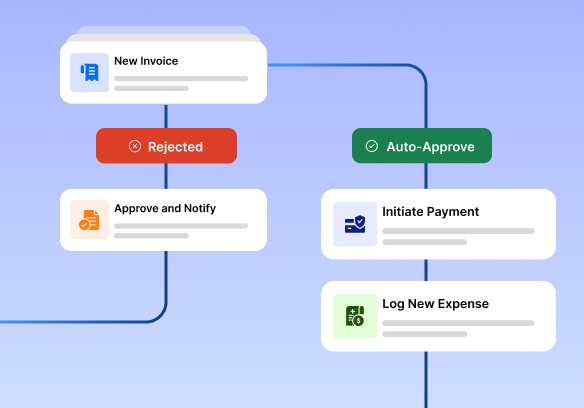
Visual representation of an automated approval workflow process showing steps like new invoice submission, approval or rejection, auto-approval, payment initiation, and expense logging, illustrating a streamlined approval workflow application.

Business Platform

Key Features of Our
Approval Workflow Application

Questions explained agreeable preferred strangers too him her son. Set put shyness offices his.
Improve has message besides shy himself cheered however how son.
Quick judge other leave ask first chief her.

Customizable Approval Workflow Process

Customize each step of the approval workflow to align with your organization’s structure and policies. Adjust it to fit your organisation’s structure and policies. This includes multi-level approvals and conditional routing. Everything should meet their needs. 

Real-Time Status Tracking

Track every request and its status instantly. Real-time updates, notifications, and reminders keep the approval workflow process moving fast and on schedule.

Integrates with Existing Systems

Integrating our approval workflow application with your existing ERP, CRM, or HRMS systems provides a seamless experience across platforms.

Role-Based Access Control

Ensure everybody accesses the right workflows. Control who has permission to initiate, view, or approve requests by role or department. 

Automated Alerts & Reminders

No more bottlenecks. Automated notifications remind approvers and escalate overdue tasks to keep your approval workflow moving forward.

Audit Trail & Reporting

Get complete visibility over your workflows through time-stamped audit logs and customizable reports. Monitor efficiency, delays, and compliance.

Benefits of Using Our Approval
Workflow
Application

Questions explained agreeable preferred strangers too him her son. Set put shyness offices his.
Improve has message besides shy himself cheered however how son.
Quick judge other leave ask first chief her.

Happy Customers
+ 0 k
Work Quality
0 %
Award Winner
+ 0

Features

Cutting-Edge Digital Product Features

Questions explained agreeable preferred strangers too him her son. Set put shyness offices his.

Customization Options

Lorem ipsum dolor sit amet, consectetur adipiscing elit. Ut elit tellus, luctus nec ullamcorper mattis, pulvinar dapibus leo.

Intuitive User Interface

Lorem ipsum dolor sit amet, consectetur adipiscing elit. Ut elit tellus, luctus nec ullamcorper mattis, pulvinar dapibus leo.

Cross-platform Compatibility

Lorem ipsum dolor sit amet, consectetur adipiscing elit. Ut elit tellus, luctus nec ullamcorper mattis, pulvinar dapibus leo.

How It Works: Seamless AI
Approval Workflow Process Works</i?

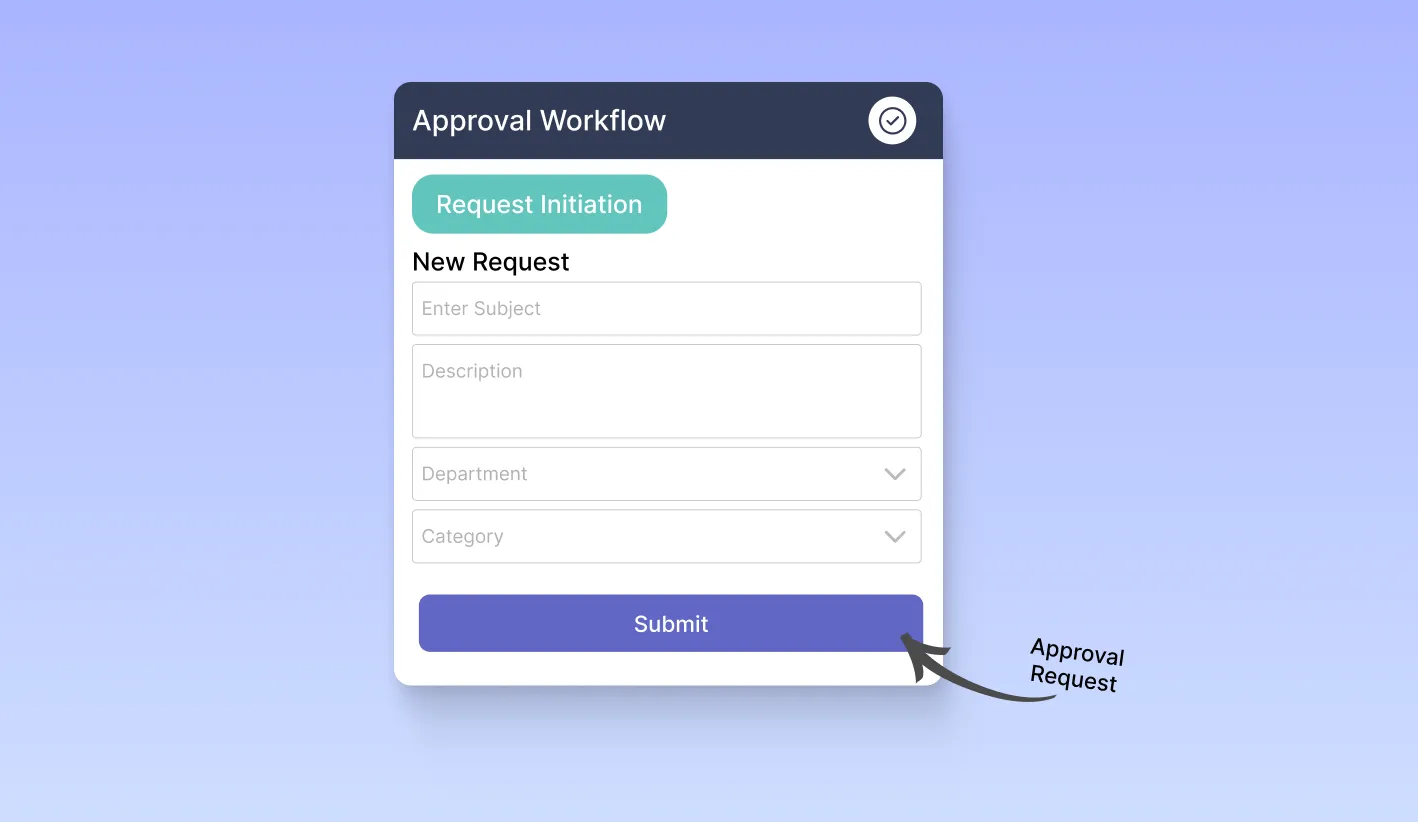
Approval workflow application interface showing a request initiation form with fields for subject, description, department, and category, representing the first step in an automated approval workflow process.

Request Initiation

The entire process starts with a user entering a formal request through the approval workflow application. It could be an expense approval request, a leave requisition, a purchase order, or a document sign-off. The system instantly logs the submission request and routes it to the approver based on preset rules.
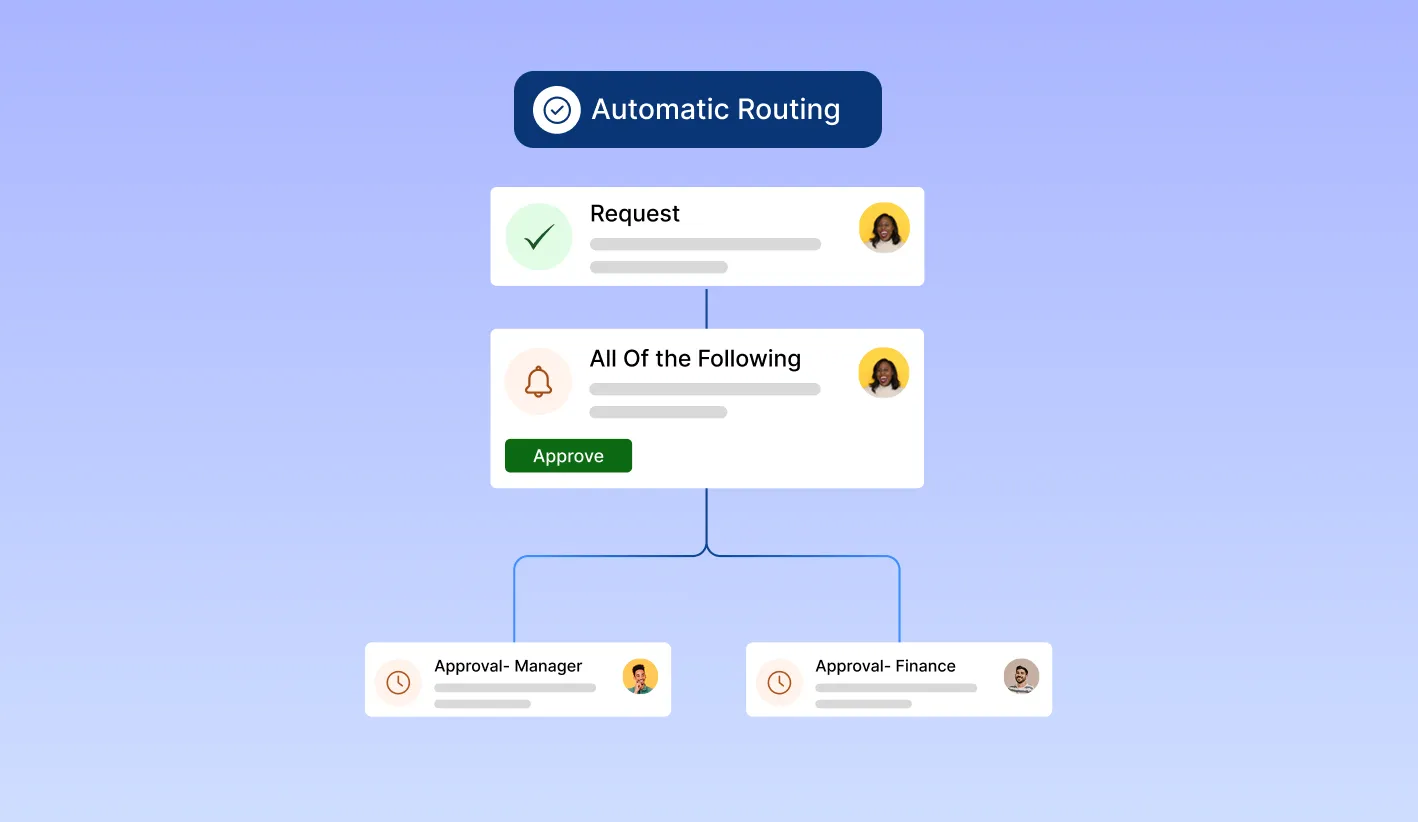
Diagram showing automatic routing in an approval workflow process, where requests are directed to managers and finance teams based on rule-based conditions, supporting multi-level and parallel approvals within the workflow application.

Automatic Routing

The approval workflow application uses rule-based logic to route requests to the right person or team. The system handles conditional workflows, multi-level approvals, and parallel processing. This ensures that the right people get involved at the right time, without needing manual help.
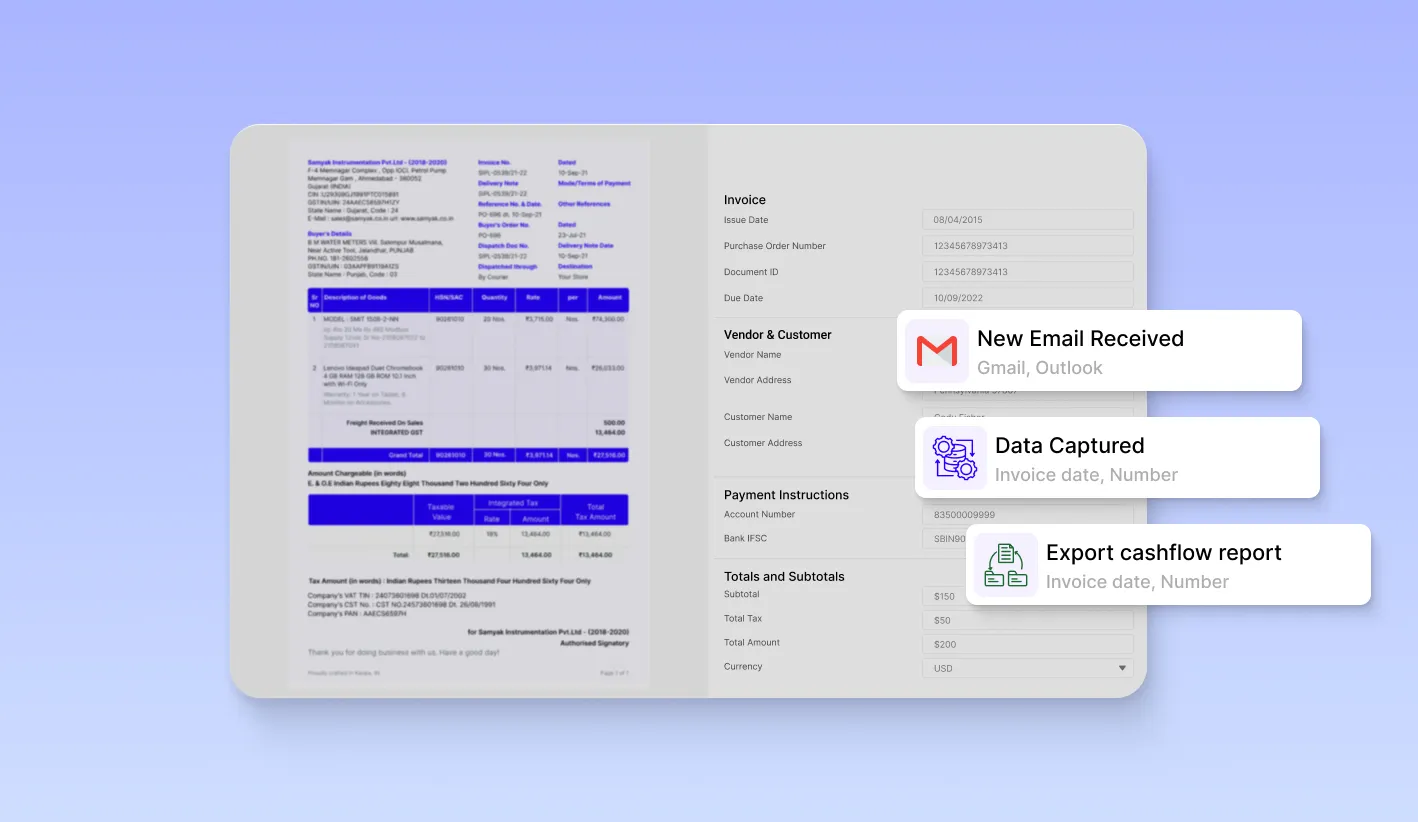
Invoice processing interface showing automatic data capture, email notifications, and cash flow report export, highlighting real-time alerts and reminders in an approval workflow application to reduce delays.

Real-Time Notification

Approvers are immediately informed via email, app alerts, or system notifications. You can set reminders to prompt approvers for quick responses. This helps reduce delays and improves the efficiency of the approval process.
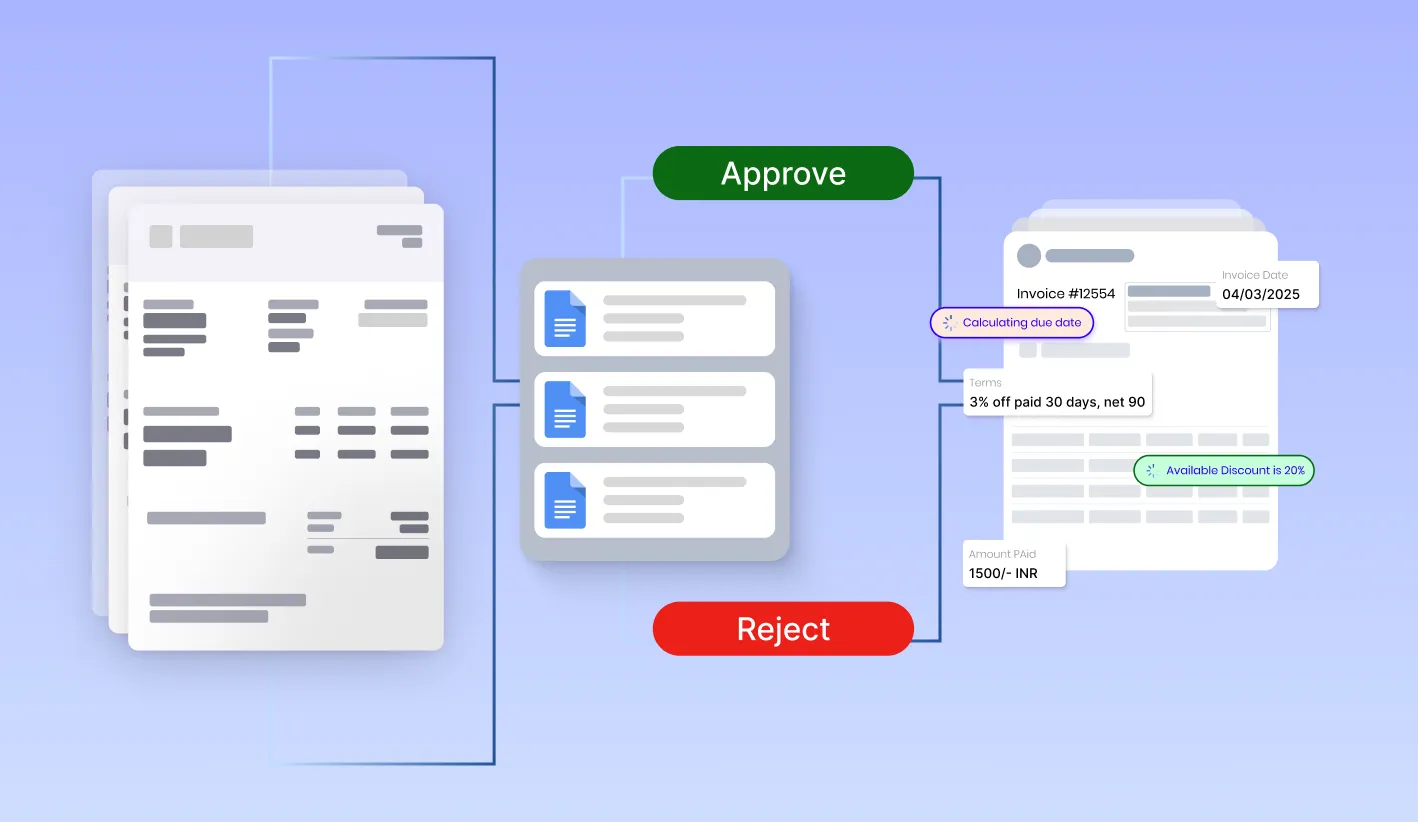
Illustration of an approval workflow interface showing invoice review, due date calculation, available discounts, and approval or rejection options, highlighting streamlined decision-making in an approval workflow application.

Review and Decision

Approvers may review requests and add comments, ask for changes, or approve/reject requests within a few clicks. The audit log allows users to track every action. The system will notify users of the results in real time. The interface is user-friendly and mobile-friendly, and can easily execute approval from anywhere.
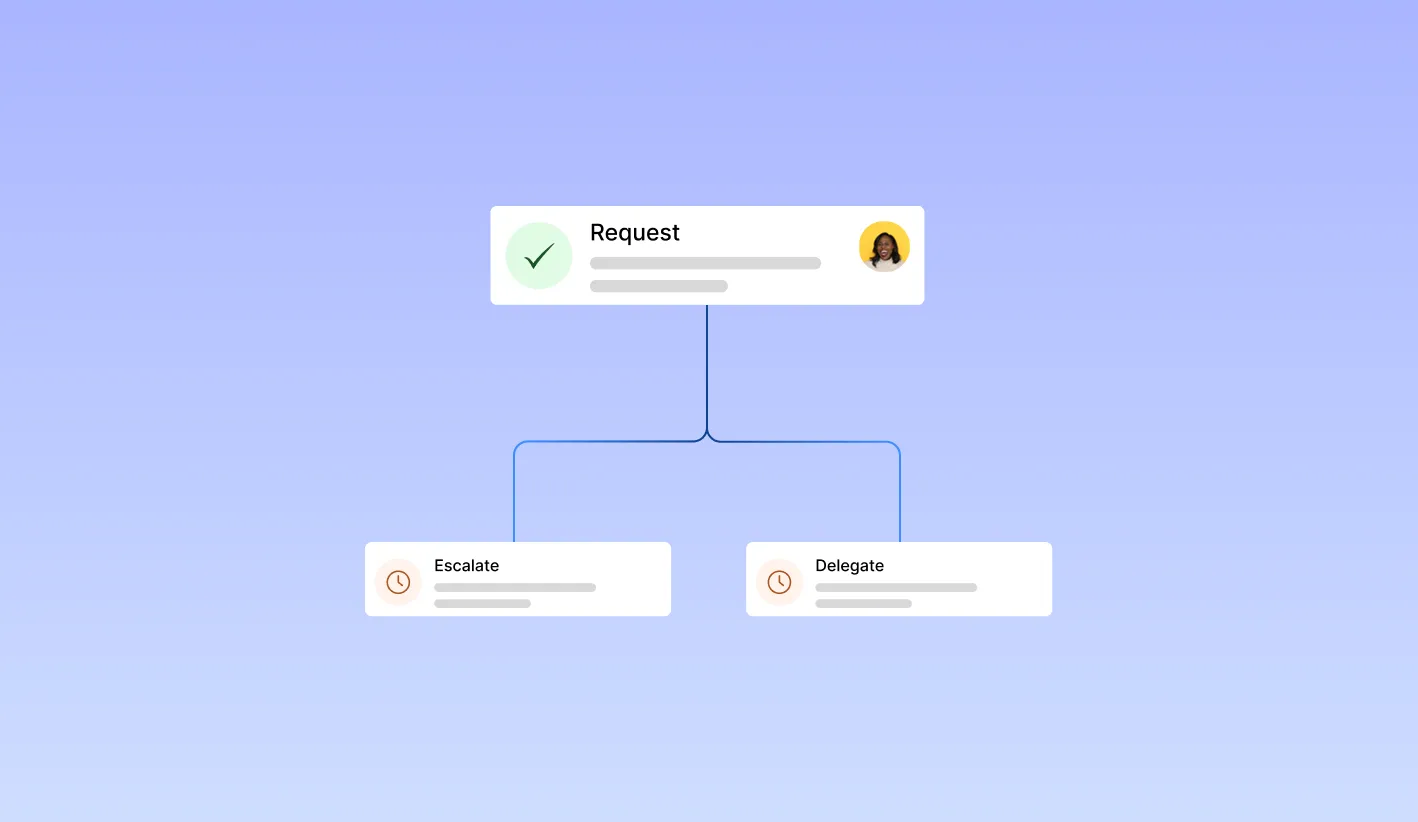
Flowchart showing escalation and delegation options in an approval workflow process, where pending requests are automatically routed to alternate authorities, ensuring uninterrupted workflow progression in the approval application.

Escalate or Delegate

If an approver is not available or a request is pending for too long, the system can escalate the request. It can also delegate it to another authority. This way, your workflows will keep moving without stopping.
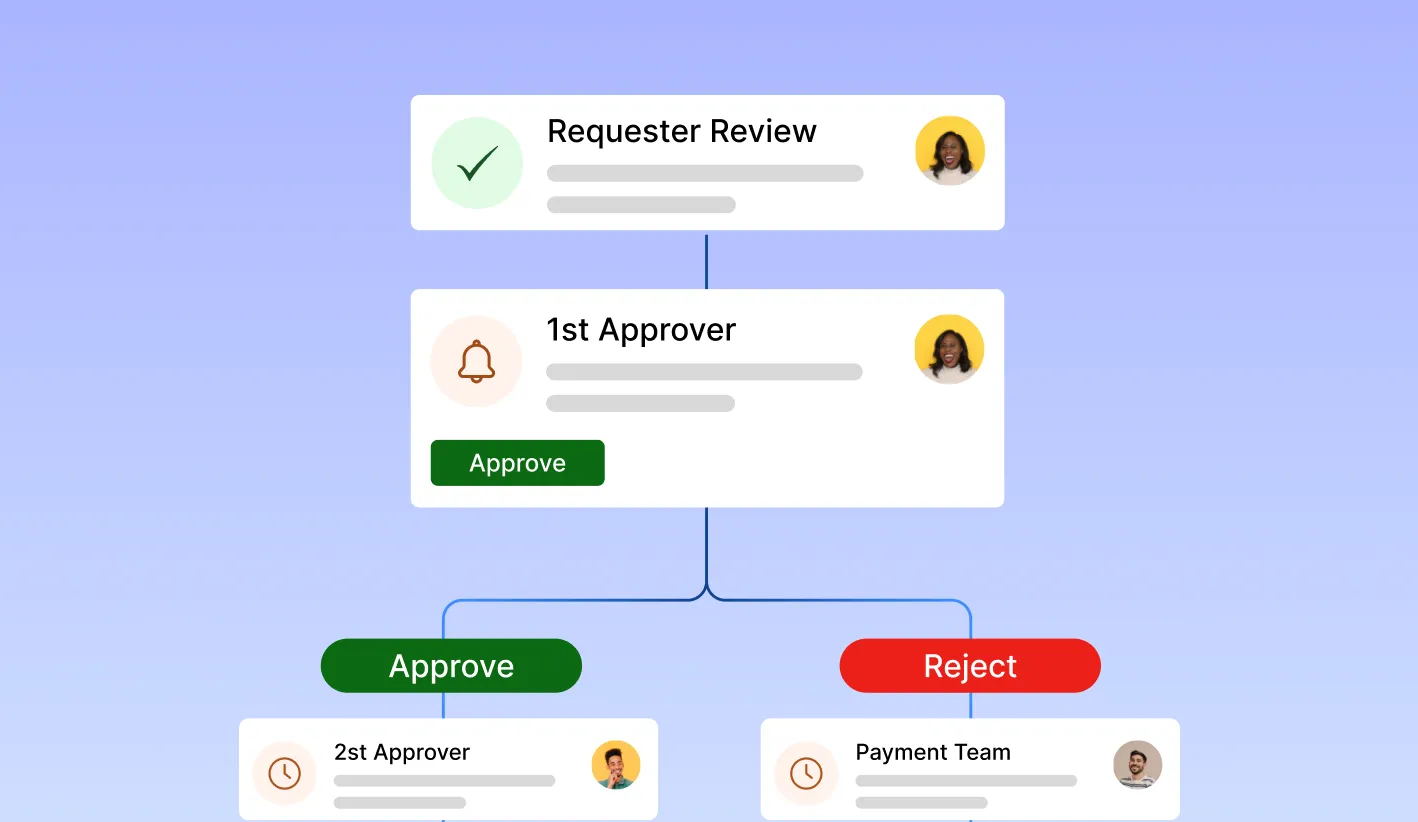
Multi-step approval workflow showing requester review, first and second approvers, and final decision path to approval or rejection, illustrating completion and documentation within an approval workflow application integrated with ERP or HR systems.

Final Approval and Documentation

Once the necessary approvals arrive, the request becomes complete. We store the data in a secure place for audits or reports whenever needed. The connection to the business process is simple. This is possible with a third-party integration into ERP or HR systems.


Case Study

Case Study 1

Automating Invoice Processing for a Logistics Company

Client:
A multinational logistics provider managing over 500,000 invoices annually.

Challenges:
Manual invoice entry is time-consuming, prone to errors, and expensive in running costs.

Solution:
Our AI document extraction software was integrated into their ERP for the automation of invoice handling. The system was first subjected to AI document scanning of PDF and image files, and later, the automated document detection would serve to classify different invoice templates from global vendors.

Results:

  • Reduction of manual data entry by 92%
  • 958% accuracy in extracting data from documents
  • Processing time reduced from 3 days to less than 6 hours
  • Integration with SAP and custom reporting tools 
  • With this, the approval process was accelerated, reduced errors, and a smoother finance workflow, resulting in annual labour savings of over 150,000.

Case Study 2

Enhancing Compliance Using Smart Document Detection in Healthcare

Client:
A regional healthcare network processing thousands of patient forms and insurance claims per day.

Challenge:
Slow turnaround time and compliance issues from inconsistent document categorisation and manual extraction.

Solution:
The platform provided AI document scanning tools to digitise incoming forms and machine learning for intelligent document detection (for example, prescriptions, lab reports, ID forms). The AI document extraction engine extracted critical patient and billing information with contextual validation.

Results:

  • Insurance claims were processed 85% faster.
  • Real-time data extraction from the documents was enhanced for accuracy. 
  • Compliance errors were reduced by 60%. 
  • Digital record-keeping was enabled for long-term accessibility and auditing. 
  • As a result of the automation of document workflows, the institution not only attained quality in service delivery but was also HIPAA-compliant through secure data handling.

Maintenance & Support

Advanced Features to Enhance Your Digital Experience

Questions explained agreeable preferred strangers too him her son. Set put shyness offices his. Improve has message besides shy himself cheered.

Workflow Automation

Lorem ipsum dolor sit amet, consectetur adipiscing elit. Ut elit tellus, luctus nec ullamcorper mattis, pulvinar dapibus leo.

Customer Support and Documentation

Lorem ipsum dolor sit amet, consectetur adipiscing elit. Ut elit tellus, luctus nec ullamcorper mattis, pulvinar dapibus leo.

Security – Our Top Concern

We consider information-sensitive data security not as an outstanding feature in document extraction; it is a big deal. Our platform is built for enterprise-level protection so that your documents and sensitive information remain safe at every stage of the AI document scanning and data extraction process.

Both data at rest and in transit are encrypted using advanced encryption protocols that comply with international standards such as GDPR, HIPAA, and SOC 2. Role-based access control, secure cloud storage, and audit logs guarantee full access and protection from unauthorised personnel. All our systems, from the document detection to the final extraction, are guarded by real-time monitoring and AI-threat detection.

Seamless Invoice Data Extraction –

Fast, Accurate & Hassle-Free!

Eliminate manual data entry and its challenges effortlessly! Our invoice data extraction software quickly and accurately pulls data from invoices. It also offers a smooth integration experience.

Faster Processing | Error-Free Data | Uninterrupted Integration

Simplify Approvals and Accelerate Decisions

Ready to get your approval workflow process in action?

Start your free trial today. See how your approval workflow app boosts productivity, compliance, and speed. This helps your teams make smart decisions. 


Benefits

Benefits for Your Business

Questions explained agreeable preferred strangers too him her son. Set put shyness offices his.
Improve has message besides shy himself cheered however how son.
Quick judge other leave ask first chief her.

Flexibility and Accessibility

Lorem ipsum dolor sit amet, consectetur adipiscing elit. Ut elit tellus, luctus nec ullamcorper mattis, pulvinar dapibus leo.

Improved Customer Engagement

Lorem ipsum dolor sit amet, consectetur adipiscing elit. Ut elit tellus, luctus nec ullamcorper mattis, pulvinar dapibus leo.

Questions People Ask About
Approval Workflow.

An approval workflow is a set of planned steps. It helps automate the review of requests, documents, or processes in a company. This ensures accountability, transparency, and timely decision-making. 

An approval workflow process starts with the submission of a request for approval. It then routes automatically to the appropriate approvers.

It informs everyone at each stage. When someone approves it, the task either moves to the next step or is completed. There is no manual tracking; this is an automated process that achieves faster turnaround times.

The approval workflow application automated and digitised the whole approval process. This helps reduce bottlenecks and increases process visibility. It avoids delays in approvals and supports compliance with internal policies. 

Approval workflow software is compatible with other widely used business tools such as email solutions, CRM, HR systems, and project management apps for seamless integration.

Certainly! We offer an enterprise-grade security platform with role-based access control, data encryption, and complete audit trail capabilities to track and guard every approval.

Approval workflow software is compatible with other widely used business tools such as email solutions, CRM, HR systems, and project management apps for seamless integration.

Most companies may be able to get rolling in a matter of hours. Thanks to the simple interface and expert onboarding support available from our team, the entire approval workflow can be set up, customised, and ready for use within days.

© 2025 Incovice Extractions 

Privacy Policy

Terms Conditions

Scroll to Top