







Book a Call

Edit Template

Smart & Reliable OCR for Receipt Scanning

No need for any data entry work anymore! The receipt OCR software scans, extracts, and organises receipt details in an exceptionally precise way. Facilitates expense tracking, increases efficiency, and integrates seamlessly with your accounting systems.

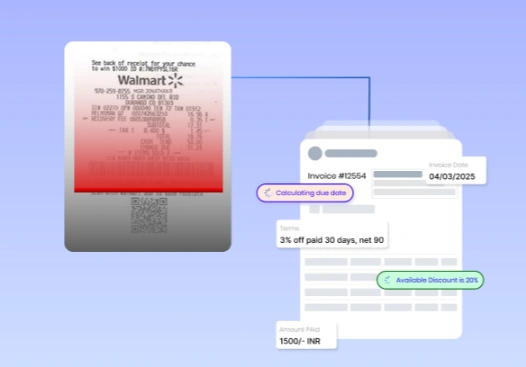
OCR receipt scanning software extracting structured data from a Walmart receipt, converting it into a digital invoice format with fields like invoice date, terms, discount, and amount paid for seamless accounting integration.

Business Platform

Key Features of Our OCR Receipt
Scanning Software

You can extract important details from receipts using advanced AI and machine learning. This includes the date, vendor name, total amount, taxes, and payment method. This helps ensure accuracy in financial tracking.

Receipt Data Extraction Powered by AI

Using advanced AI and machine learning, you can extract important details from receipts. This includes the date, vendor name, total amount, taxes, and payment method. This helps ensure accuracy in financial tracking. 

Multi-Format Receipt Processing

A receipt OCR software is capable of reading all types of files: PDFs, images, and scanned documents, as well as email receipts.

Highly Exact OCR: Receipt Recognition

The software for extracting text from receipts works exceptionally well. It uses advanced Optical Character Recognition (OCR) technology. It has a few errors and needs little manual correction.

Bulk Receipt Processing using Batch Receipt Scanning

This is batch scanning. It lets you process many receipts at once. This is helpful for businesses that handle a lot of receipts. This includes retail, accounting, and expense processing teams.

Intelligent Categorization and Auto-Tagging

Automatically sorts receipts by vendor, date, cost category, or payment method. This helps make organizing finances easier and reduces the effort needed for repetitive sorting.

Seamless Integration with Other Accounting and Cost Management Software

Connect easily with other accounting or ERP systems like Xero, QuickBooks, and SAP. This makes bookkeeping, data entry, and financial reporting simpler.

Real-Time Data Validation and Error Detection

Automated validation rules will find mismatches and duplicates. They will also notify users about missing or incorrect receipt information during processing.

Secure Cloud Storage and Simple Retrieval

Scan all receipts securely. Store them in an encrypted cloud database. This database is accessible, searchable, and retrievable. It helps with evidence and audit readiness. 

Mobile-OCR for On-the-Go Scanning

Our mobile-friendly OCR makes it easy to capture receipts on your smartphone. This is immensely helpful for business travel and working from different locations. 

Customized Data Extraction and Reporting

Set extraction rules based on your business needs. This will help you create better reports on expenses, tax deductions, and other factors. These insights can aid in making effective decisions.

Benefits of Using Our OCR Receipt
Scanning Software

Questions explained agreeable preferred strangers too him her son. Set put shyness offices his.
Improve has message besides shy himself cheered however how son.
Quick judge other leave ask first chief her.

Reduce Manual Work & Increase Efficiency

Entering the receipt data manually is a time-consuming task, and it is never accurate. Using OCR to recognize receipts helps businesses automate data extraction. This saves thousands of hours of manual work. Employees can then focus on more important tasks.

Speeding Reimbursements and Approvals for Expenses

Automated receipt scanning with OCR speeds up expense checks and approvals. This reduces the time employees or vendors wait for reimbursement.

Less Human Error and Data Deviation

Data entry errors are lower when we use our OCR for receipts. This method achieves better accuracy in extracting details from receipts. It also eliminates financial inconsistencies.

More Financial Organization and Compliance

Digital receipts stored well and securely allow a company to maintain clear, well-organized records of its finances. Tax filing is now much simpler through audits and compliance with accounting regulations.

Swift and Simple Tax Deductions

Using this OCR receipt software makes it easier to track deductible expenses. Everything is organized and ready to use. We gather all necessary receipts to ensure accessibility during the tax season for maximum savings.

Scalable for Different Business Sizes

Whether you process a few receipts or thousands, our top OCR for receipts adapts to your business needs. It offers seamless flexibility without sacrificing speed or accuracy.

Enhanced Financial Transparency

Thanks to automated OCR receipt scanning, finance teams can see their spending in real-time. This helps them make better decisions and manage budgets more effectively.

Improved Relationships with Vendors and Suppliers

Managing timely and accurate receipts allows us to pay vendors and suppliers quickly. This helps eliminate trust issues and build strong business relationships.

Accessible from Multiple Devices for Remote Teams

Receipt scanning software with mobile-friendly features allows employees to scan and submit receipts anytime and anywhere. This is a great benefit for companies with traveling or remote teams.

How Our OCR Receipt
Extraction Software Works</i?

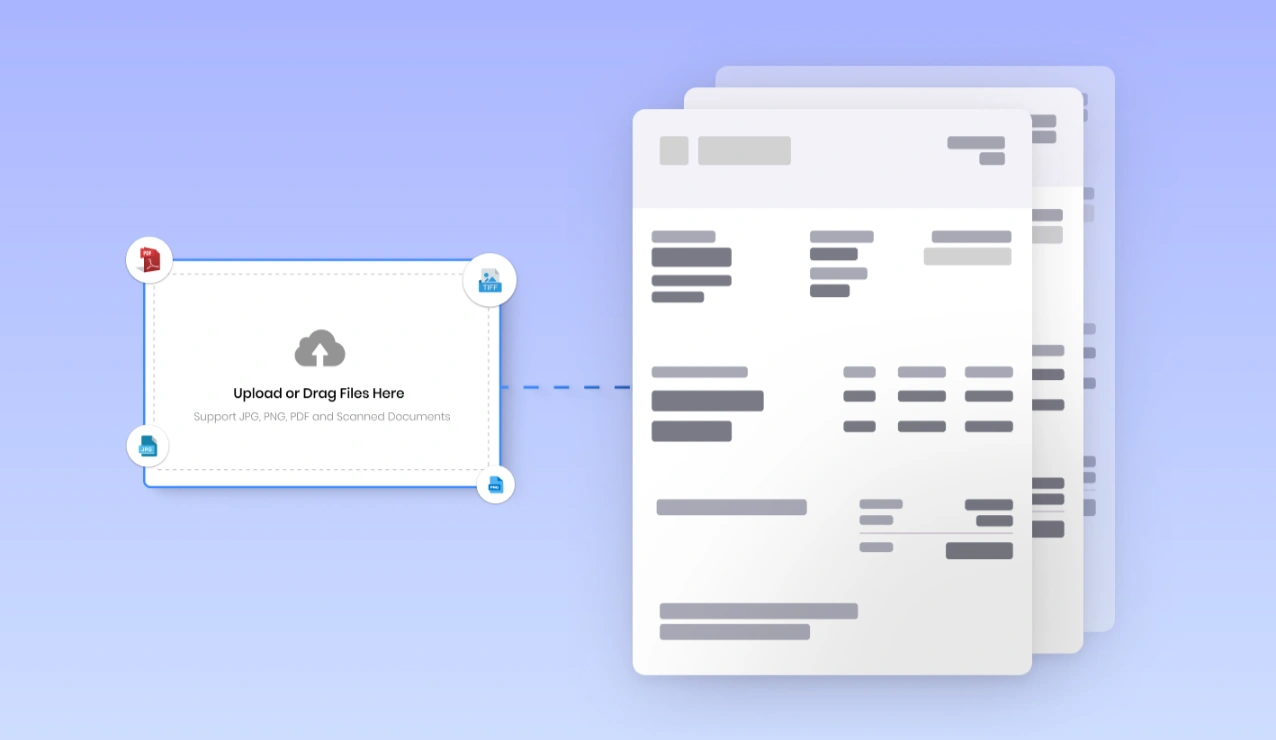
Interface showing receipt upload section supporting JPG, PNG, TIFF, and PDF formats, connected to automated OCR software that scans and extracts receipt data for efficient digital processing.

Upload or Capture
Receipts

Upload almost any image or scan it into PDFs or even scanners, not to mention having various files natively. Capture these receipts with your smartphone or through a scanner to OCR receipt scanning software.
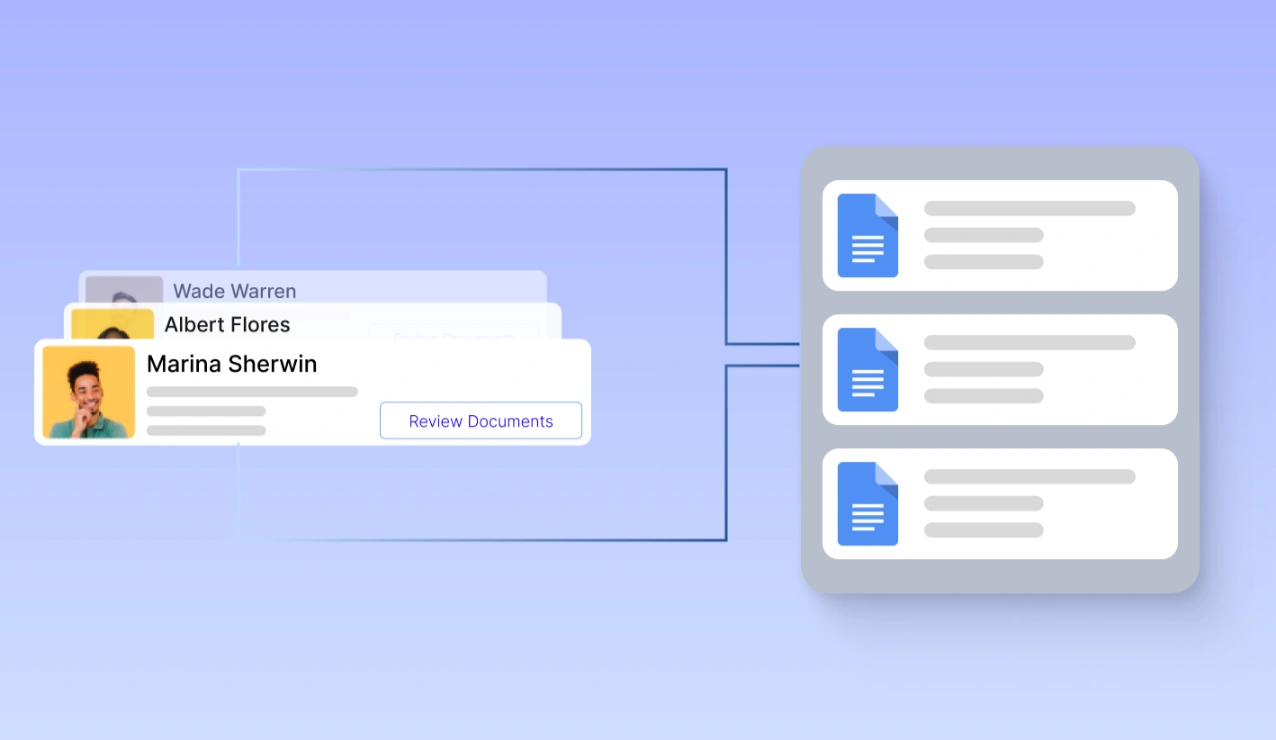
Automated receipt OCR system assigning reviewers and categorising extracted receipt data into organized document groups by expense type, vendor, or department for streamlined financial tracking.

Automate Categorization and Expense Organization

Intelligent automation works in the system depending on the expense type, vendor, or department receipts to receipt data. Financial tracking made easy.
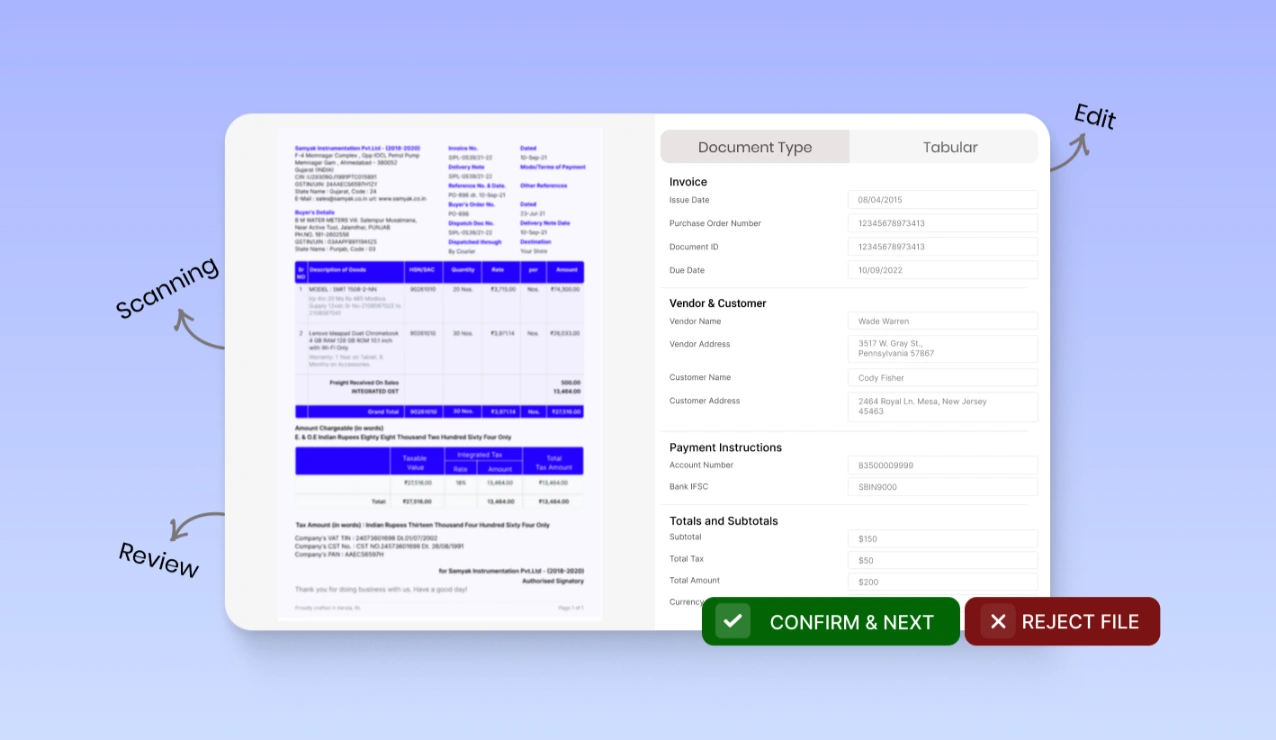
OCR receipt scanning software interface extracting and displaying key receipt details such as merchant name, date, tax, and amount, with options to review, edit, confirm, or reject the scanned data.

OCR for Receipt Recognition and Data Extraction.

Our best receipt OCR software scans and recognizes information. It extracts key details like the merchant name, date, amount, tax, and categories using natural language processing technology.
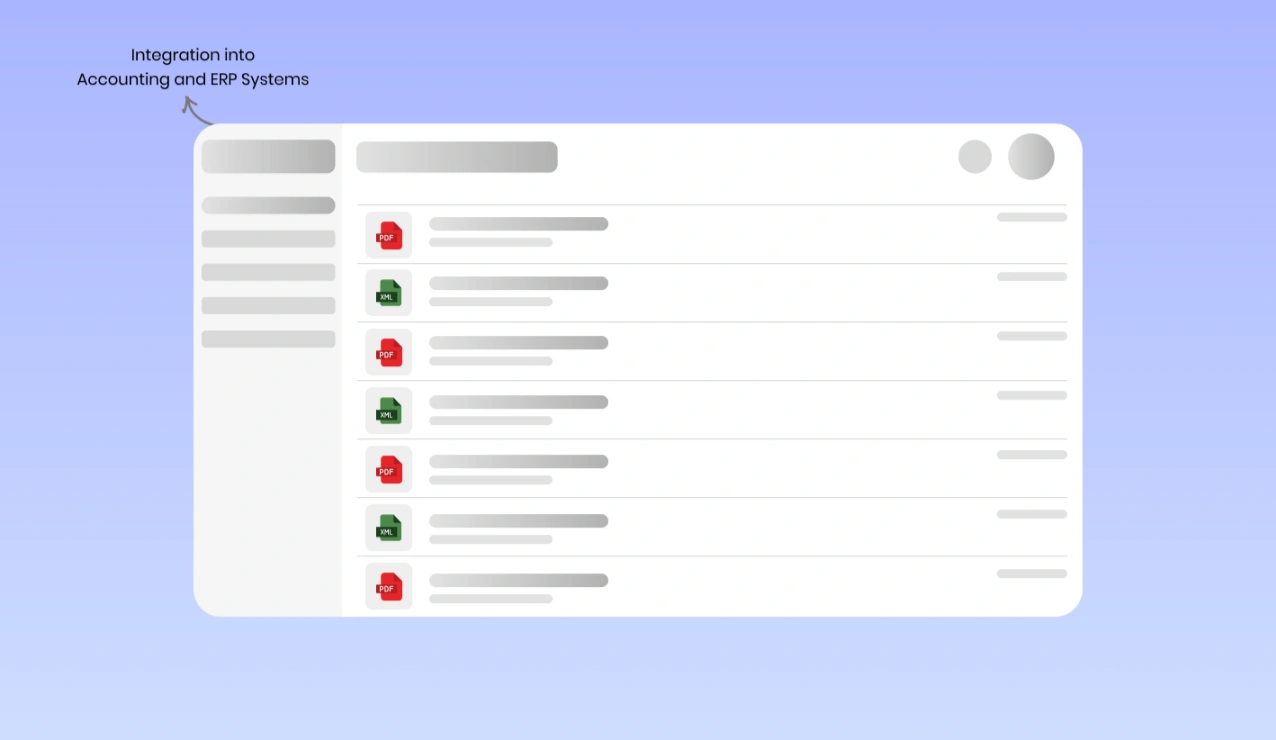
OCR software interface displaying structured receipt data exported in PDF and XML formats, integrated into accounting and ERP systems for streamlined expense management and financial processing.

Total Integration into Accounting and ERP Systems

The system quickly processes structured receipt data. Then, the system exports it to your selected accounting software, ERP, or expense management tool. This all happens in just a few seconds.
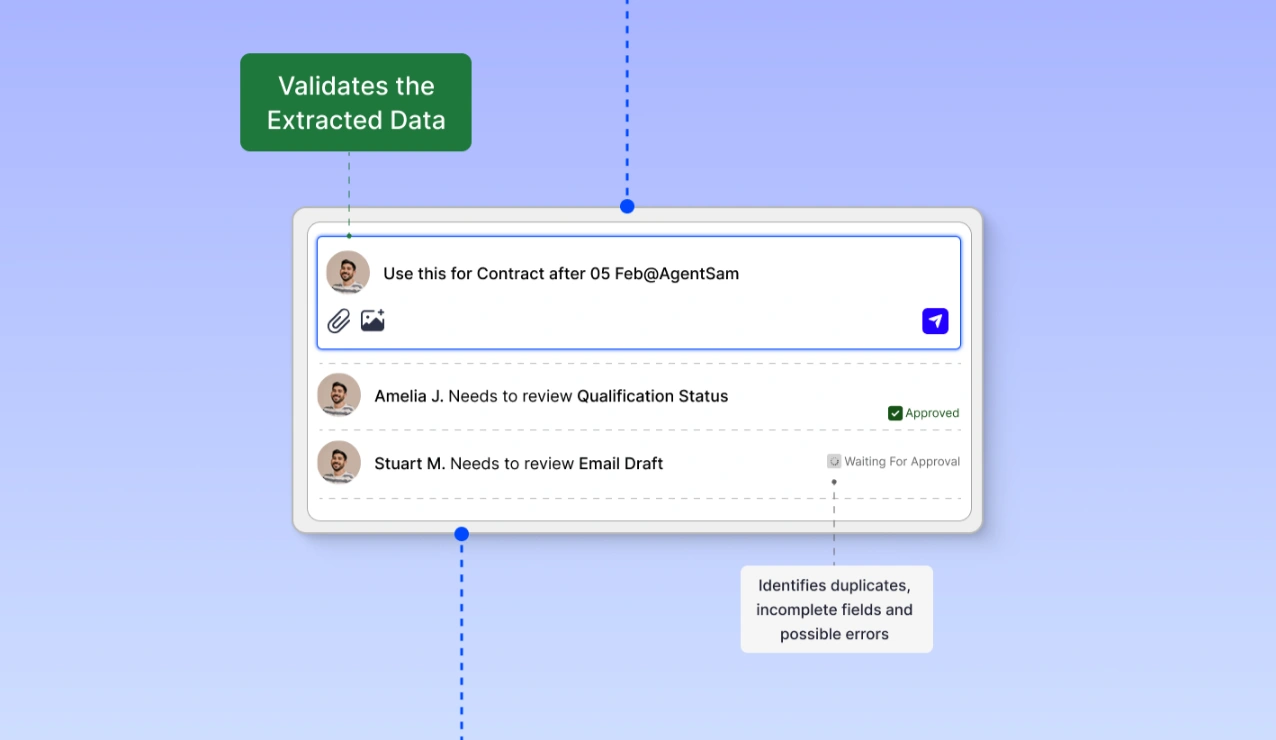
AI-powered receipt OCR interface validating extracted data by checking for duplicates, incomplete fields, and errors, with task assignments and approval workflow to ensure data accuracy and compliance.

AI-Powered Data Validation and Accuracy Check

The data extracted is automatically validated according to predefined business rules. Our OCR solution for receipts identifies duplicates, incomplete fields, and possible errors to confirm accuracy.
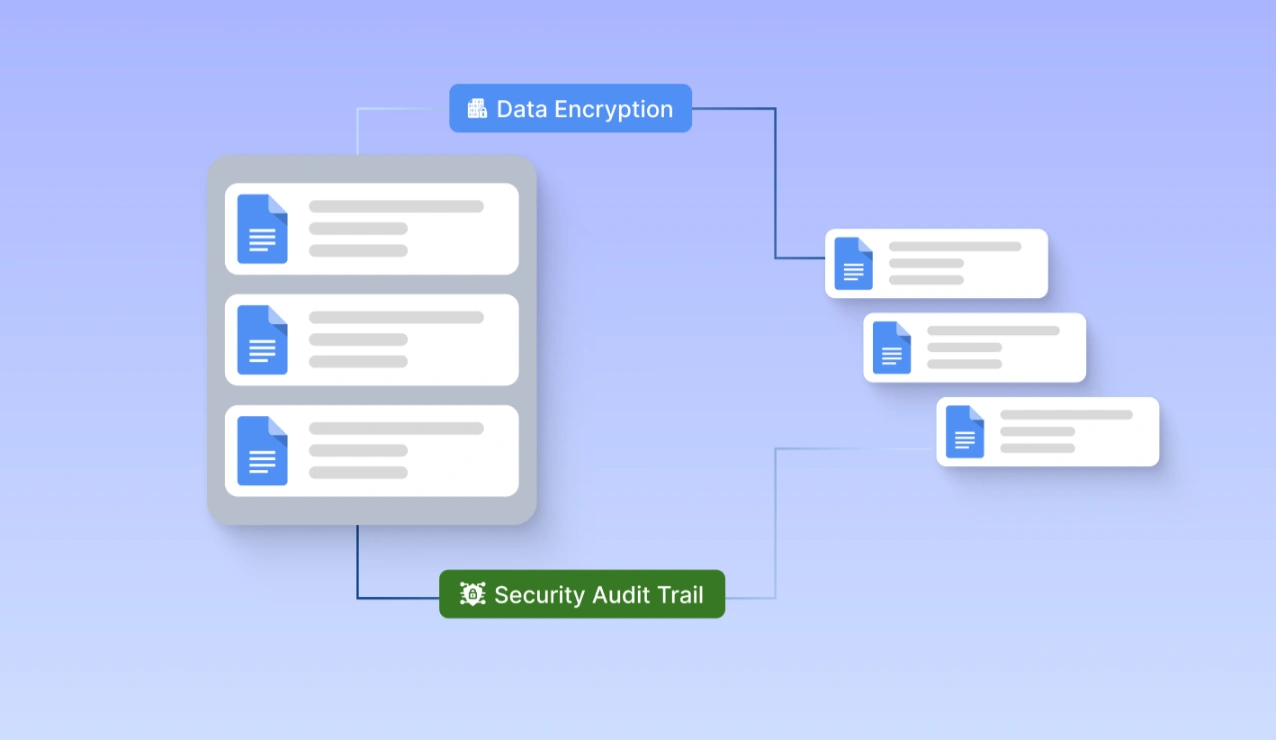
Encrypted digital receipt management system storing OCR-scanned documents securely in the cloud with security audit trails, enabling easy search, access, and sharing for tax filing and compliance purposes.

Secure Storage and Retrieval- Sharing of Electronic Receipts

All scanned receipts are held securely in the cloud so that they can be searched quickly, audited easily, and allow you to file taxes. Access your digital receipts anytime from any device.
Case Study

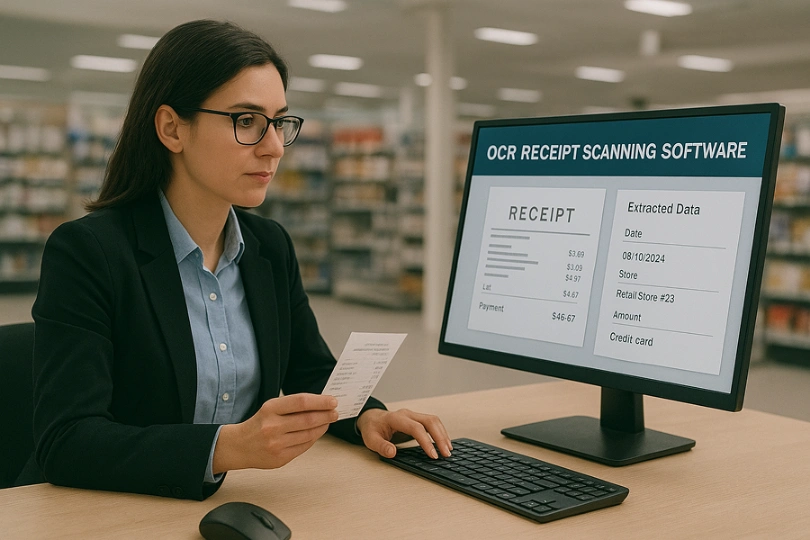
Businesswoman using OCR receipt scanning software on a desktop to extract and validate receipt data, with fields like date, store, amount, and payment method displayed, streamlining retail expense tracking and reconciliation.

Case Study 1

Automating the Receipt Process of a Retail Chain:

Client:
A multinational retail organization managing thousands of daily customer receipts at multiple locations.

Problem:
Manual data entry of receipts into the computer can cause delays and mistakes. This affects expense tracking, refunds, and accounting reconciliation. Absence of a so-called automated system left opportunities for inefficiencies, compliance issues, and financial discrepancies.

Solution:
We implemented our OCR receipt scanning software, which automatically extracts, categorizes, and validates receipt data in real-time. Seamless integration of the system into their accounting and ERP platforms guaranteed trusted financial reporting.

Results:

  • Manual data entry time reduced by 85% 
  •  Receipt recognition at a 99% accuracy level to reduce errors
  •  50% faster financial reconciliation, improving cash flow
  • Greater compliance with tax regulations through setting up an automated audit trail
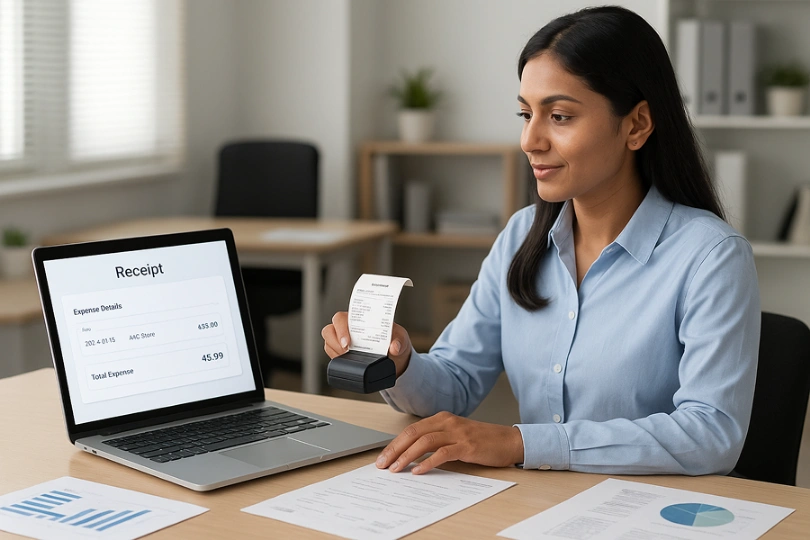
Woman using OCR receipt scanner connected to a laptop displaying extracted expense details like store, date, and total amount, streamlining receipt data capture for faster expense approval and tax compliance.

Case Study 2

Streamlining Expense Management for a Corporate Finance Firm

Client:
One rapidly growing financial services company was dealing with thousands of business receipts for employee reimbursements and tax submissions.

Problem:
Time-consuming and tedious manual data entry is involved for expense receipts at the company. Employees needed to submit physical receipts, which delayed approval, caused reporting inconsistency, and created compliance risks.

Solution:
Time-consuming and tedious manual data entry is involved for expense receipts at the company. Employees needed to submit physical receipts, which delayed approval, caused reporting inconsistency, and created compliance risks.

Results:

  • 70% faster expense approval process 
  • 99.5% accuracy in receipt data extraction, reduced financial discrepancies
  • Automated tax compliance ensuring regulatory adherence 
  • Increased employee productivity as manual data entry is eliminated.

Smart & Reliable OCR for Receipt Scanning

Capture Data Instantly!

No need to waste your precious hours doing things manually. The great receipt OCR solution does an excellent job of scanning, extracting, and organizing receipts. It works quickly and accurately.

Fast Expense Processing | Error-Free Data Capture | Smooth Integration

Explore More Advanced Functions

Besides scanning receipts, our OCR receipt scanner is great for invoices, expense management, and classification of documents. This integrates with accounting, ERP systems, and does automatic data validation and reporting in real-time. The best OCR for receipts, promising complete financial accuracy and efficiency.

Frequently Asked Questions About
OCR for Receipt Scanning Software

The OCR (optical character recognition) process scans receipts. It extracts text and data from both scanned and digital receipts. The OCR receipt scanning software converts receipt images into structured, searchable, and usable data on accounting and expense tracking.

License management software ensures that the OCR for receipt data extracts has over 99% accuracy. It uses AI-driven OCR and machine learning to detect both printed text and handwriting. This reduces errors in manual data entry and helps with financial management.

Sure! Our OCR for receipt recognition processes printed, scanned, photo, and digital receipts. It works with formats like JPEG, PNG, PDF, and email attachments. 

Completely! The best OCR for receipt software works well with QuickBooks, Xero, SAP, FreshBooks, and other accounting systems. This helps make financial activities run smoothly.

Confidently! Your sensitive financial data is safe from unauthorized access. Our OCR receipt scanning solution uses bank-level encryption. It also has secure cloud storage and role-based data access.

Yes, the receipt scanning OCR uses AI to recognize both handwritten and printed text accurately. This makes it one of the best OCR software solutions for receipts.

Using receipt OCR software helps businesses enter data from receipts automatically. It categorizes expenses and ensures tax compliance. This saves time, reduces errors, and makes financial reporting easier.

Yes! The application can process many receipt scans at once. Great for companies that receive a lot of receipts for tracking finances and reimbursements.

Our solution provides both cloud-based and on-premise deployment options, affording secure access, real-time updates, and seamless collaboration from any location.

Getting started is simple! Request your free demo today and see how our OCR for receipt recognition can change the way you manage expenses and accounting.

© 2025 Incovice Extractions 

Privacy Policy

Terms Conditions

Scroll to Top