


Book a Call

Edit Template

Digitise, index, and secure patient records with AI‑powered OCR solutions

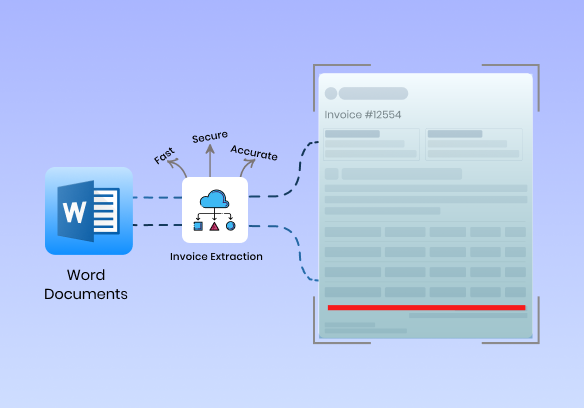
Data Extraction from Word Documents—Fast, Accurate & Secure

Easily extract data from Word documents—including OCR for invoices, contracts, and forms—with a smart solution that combines automation and precision. Save hours of manual work and reduce costly errors.

Our solution automates the process of turning unstructured content into structured data. You can easily use this data. Whether it’s hundreds or thousands of documents, our tools ensure accuracy, speed, and compliance throughout the process.

Extract data from Word documents easily with AI-powered OCR. Fast, accurate & secure document data extraction for invoices, contracts, forms & more.

Why Businesses Need to Extract Data from Word Documents in Healthcare in India?

Automated data extraction from documents (.docx) is a necessity these days for digital transformation. Post-invoice generation, Indian businesses in various sectors like finance, logistics, healthcare, and legal rely on Microsoft Word for invoices, contracts, reports, and forms. Hence, data extraction from documents acts as an essential working function in these organisations.

The digitisation of workflows helps organisations in the following ways:

  • Eliminating the re-entry of manual data, which cuts down human errors and ensures accuracy.
  • Fast tracking of document processing to operational turnaround.
  • Provide a compliance- and audit-ready presence with the data being structured and searchable.
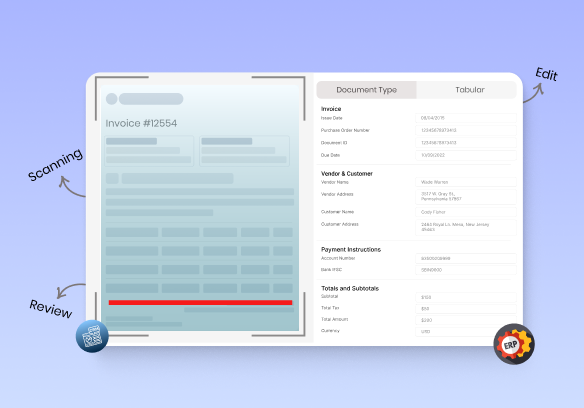
  • Seamless integration with ERP, CRM, and automation platforms for automating workflows.
  • Speeding up scaling business operations in high-volume document scenarios.

How Invoice Extraction Solves These Problems

Modern invoice data extraction solutions have evolved to cope with the complexities of Word documents, employing the promise of template-free, AI-driven capacities. They address the previously highlighted issues in the following manner:

Template-Free Document Intelligence

No need for any pre-encoded layouts; our system could intelligently understand variable formats while accommodating invoices of any structure.

Detects Smart Line-Item

Pulls tabular data and multiline line items such as product descriptions, quantity, unit price, and the tax amount without losing any context.

Auto-Detection of Key Fields

Detects and extracts automatically key fields of invoices, such as invoice number, invoice date, buyer/seller information, GSTIN, PAN, and total amount, even from messy or complicated Word documents.

Multi-Format Document Import

Enables the import and processing of data from various file types, including Word (.docx), PDF, image (JPG/PNG), and scanned documents, allowing for a unified workflow across different formats.

Multilingual Text Support

Able to extract texts written in English, Hindi, and the main regional languages–just what Indian businesses need with bilingual or vernacular documentation.

Intelligent Error Handling

Our tool checks for mistakes and works to extract data from Word documents,  which helps you catch missing details or wrong values without needing to read every invoice yourself.

Industries That Rely on Word Document Workflows

Many industries of India rely on Microsoft Word on a day-to-day basis for document creation, processing, and storage. Automating data extraction from Word documents beautifies operations, diminishes errors, and enhances turnaround times. Below stated are some crucial industries in which Word document workflows are central to business processes:

Accounting & Finance

Validate vendor bills, account statements, and reconciliation reports, and automate capturing in finance summaries to speed up month-end closure with fewer manual interventions.

Logistics & Transportation

Delivery challans, invoices for freight, consignment notes, and gate passes have their structured data extracted to track shipments, bill, and be ready for audits promptly.

Retail & Distribution

Speed up the purchase order processing, goods receipt validation, inventory checklist management, and billing sheets generation – document-heavy operations for smooth supply chain workflows.

Education & Healthcare

Digitise receipts, student/medical approvals, lab test documents, and internal communication records—administrative paperwork reduced and manual filing removed. Here, document extraction is primarily used to extract data from images or to extract data from Word documents.

Some of the Common Challenges in Extracting Data from Word Documents

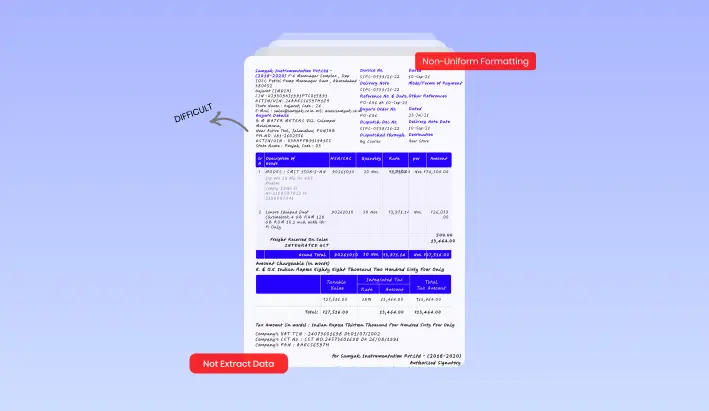
Business documents use different layouts, fonts, and styles, making data extraction from Word documents difficult. Inconsistent formatting causes rule-based systems to fail when extracting key details like dates, totals, or customer information.

Non-Uniform Formatting

Business documents will contain different styles and formats on one hand, thereby making it difficult for any rule-based system to extract data from a Word document in any of such fields as invoice number, date, total, or customer, with any reliability.
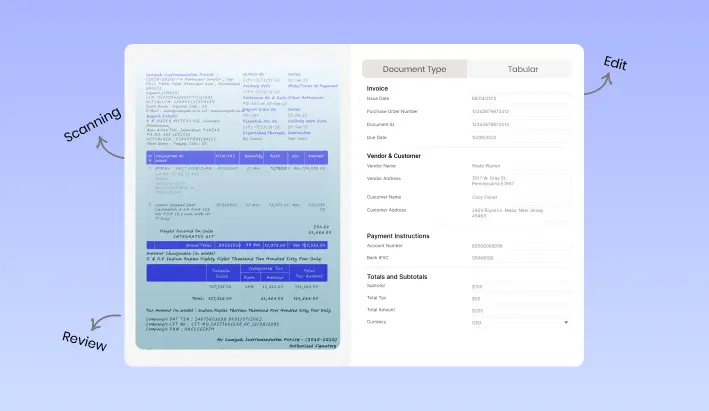
Many Word documents include scanned pages or handwritten notes, making data extraction difficult without OCR. Advanced OCR and handwriting recognition are required to accurately extract and digitize such document data.

Scanned or Handwritten Text in Word Files

Word-type documents in India abound with scanned pages or handwritten comments that require OCR for receipts also, or, in some cases, handwriting recognition for the extraction of digitised information.
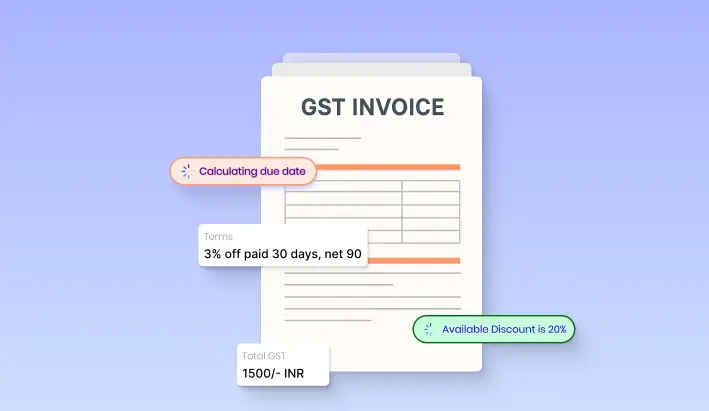
Complex Layouts

Word documents can have inconsistent metadata. They may also have complex layouts like multi-column texts, nested tables, or item lists. This can make it hard to extract data such as GST details, item prices, or tax breakdowns.
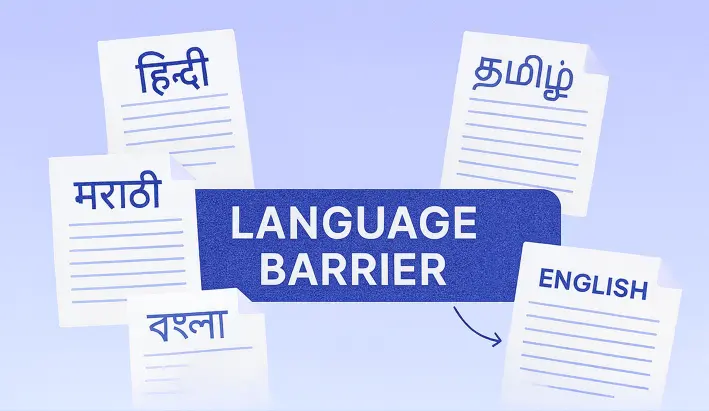
Content in Multiple Languages

The cultural diversity in the motherland adds to the barrier. The majority of documents carry content in Hindi, Tamil, Marathi, Bengali, or a combination of such regional languages with English, requiring language-sensitive extraction tools that allow processing in more than one language.

Case Study

Case Study 1

Faster Insurance Processing in a Tier-2 City Hospital

Problem:
An NABH-accredited private hospital located in a tier-2 city was experiencing delays in the submission of insurance claims as it was being processed with manual sorting and scanning of documents.

OCR Solution:
OCR integration was introduced so that the billing and discharge system could read numbers automatically from lab reports, invoices, and treatment summaries.

Effect of OCR at Private Hospital:
Time to file claims had been reduced from 3 days to just one Reduced rejection rates due to increased documentation Insurers were happy about the faster turnaround for pre-approvals

A multispecialty clinic automated data extraction from handwritten prescriptions using AI-driven OCR in English and Tamil. Manual entry time reduced by over 60%, enabling safer e-prescribing and improved billing accuracy.

Case Study 2

Automating Prescription Processing in a Private Clinic Problem

Problem:
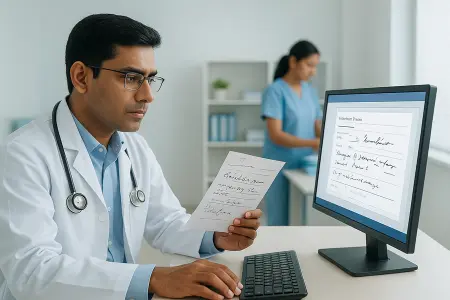
An operational multispecialty clinic in the south of India had inconsistencies and delays in hand-written prescription transcription, especially in local scripts.

OCR Solution :
They implemented an AI-driven OCR solution for medical records, with the goal of extracting drugs, dosages, and instructions from English and Tamil prescriptions.

Impact of OCR in Healthcare :
pact of OCR in Healthcare Reduced manual data entry time by over 60% Enabled seamless handover to an e-prescribing system Improved patient safety and billing accuracy

Fast OCR for Medical Records | Accurate Data Capture | Easy EHR Integration

Quickly Turn Medical Records into Digital Files

Say goodbye to manual entry for hours! Our state-of-the-art OCR for medical records will allow you to extract patient information from physical documents for you quickly, accurately, and securely. From intake forms, to prescriptions, to clinical notes, OCR in healthcare will modernize your approach to processing patient documents, enabling providers to focus on what's important: providing quality patient care!

Freqently Asked Questions

We support PDF, JPG, PNG, Excel, and email attachments along with the Word (.docx) format.

Yes, we do: For any Word document, we extract key fields like invoice number, date, line items, and totals.

We use ISO 27001 & SOC 2 certified full encryption and employ role-based access controls for the complete safety of your data.

Exports occur automatically into Excel-compatible files (CSV/XLSX); no manual effort is required.

Under 30 seconds is the processing time set for a single document, and batch processing is also available for large volumes.

We got you, we offer complete data extraction from documents. Our system detects a Word table and converts it to structured formats, be it Excel or JSON, with full accuracy.

© 2025 Incovice Extractions 

Privacy Policy

Terms Conditions

Scroll to Top